Aadhaar Verification: What It Is and How to Verify an Aadhaar Number
How Aadhaar verification works: status check, OTP verification, biometric, QR, and offline e-KYC via UIDAI, and how RBI’s KYC rules treat Aadhaar.
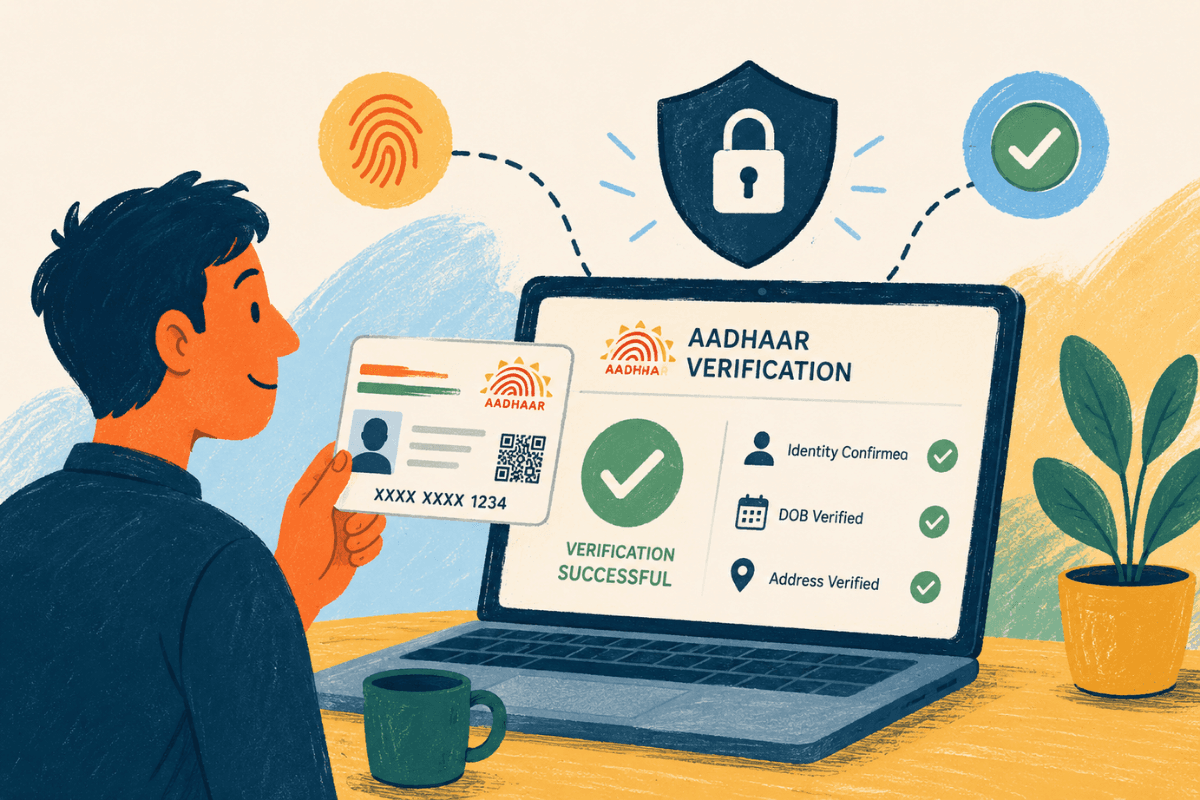
Aadhaar verification means confirming, through UIDAI’s own systems, that an Aadhaar number is genuine, currently active, and matches the identity details presented alongside it, rather than accepting a printed or downloaded Aadhaar on sight. UIDAI runs this confirmation in real time against its Central Identities Data Repository (CIDR), matching the Aadhaar number and the demographic or biometric data submitted with it[1]. For a bank, NBFC, employer, or individual relying on Aadhaar as identity proof, verification is the step that turns a document into a checked fact.
This guide covers why verification matters, the distinct methods UIDAI offers, how to run each one, what the Aadhaar status check does and doesn’t confirm, how Aadhaar fits into RBI’s KYC framework, common issues, and what the gap between a status check and full verification means for institutions relying on Aadhaar as an Officially Valid Document.
Why Aadhaar Verification Matters
UIDAI has said publicly that any form of Aadhaar (the physical letter, e-Aadhaar, the PVC card, or the mAadhaar app) should be verified, not just accepted at face value, before it’s relied on as proof of identity. In a November 2022 statement, UIDAI urged entities to check Aadhaar using the mAadhaar app or an Aadhaar QR Code Scanner, with the holder’s consent, and asked state governments to direct that this verification step be followed by anyone accepting Aadhaar as ID proof[10].
For India’s banks, NBFCs, and insurers, Aadhaar also carries specific regulatory weight. RBI’s KYC Master Direction lists “proof of possession of Aadhaar number” as one of six Officially Valid Documents (OVDs) accepted for individual customer identification, alongside a passport, driving licence, Voter’s Identity Card, the NREGA job card, and a letter issued by the National Population Register[15].
“UIDAI reported 231 crore Aadhaar authentication transactions in November 2025 alone, its highest monthly total of the financial year, including 28.29 crore face-authentication transactions, more than double November 2024's 12.04 crore.”
Cumulative Aadhaar authentication transactions had already crossed 150 billion by the end of April 2025[24].
The Ways to Verify an Aadhaar Number
UIDAI doesn’t offer one single “verify Aadhaar” button. It offers several distinct mechanisms, each answering a different question.
| Method | What It Confirms | Live UIDAI Connection? | Consent / Mobile Requirement |
|---|---|---|---|
| Status check ("Verify Aadhaar") | Whether the number is active or deactivated only, not the holder's name, address, photo, or other demographic details | Yes | None (no login or registered mobile needed) |
| OTP-based authentication | Holder's control of the mobile number and/or email registered against that Aadhaar number in CIDR | Yes | OTP sent to the registered mobile and/or email |
| Biometric authentication | Fingerprint or iris scan matched against the biometric data UIDAI holds for that Aadhaar number | Yes | Live fingerprint or iris capture |
| Face Authentication (AadhaarFaceRD) | Live face image matched against the photo linked to the Aadhaar number, via "Operator" or "Individual" mode | Yes | Live face capture |
| Secure QR Code | UIDAI's digital signature on the code, confirming the printed or displayed details haven't been tampered with | No | Holder's physical or displayed Aadhaar with the QR code |
| Offline e-KYC XML | Digitally signed demographic data (name, address, photo, date of birth, gender) without exposing the full Aadhaar number | No, once the file exists | OTP to the registered mobile is needed only to generate the file |
| Virtual ID (VID) | Stands in for the Aadhaar number itself in authentication or e-KYC, without exposing the number | Depends on the method it's used within | Same as whichever underlying method it's paired with |
| Multi-factor authentication | Combines two or more of the above (e.g. demographic + OTP, biometric + OTP) for a higher-assurance check | Yes | Combined requirements of the methods used |
A few methods carry detail worth knowing beyond the table. The Secure QR Code stores the last 4 digits of the Aadhaar number, name, address, gender, date of birth, photograph, and a masked mobile number or email, all digitally signed by UIDAI[8][9]. The Offline e-KYC XML carries the same core demographic fields plus a hash of the registered mobile number and email, and a reference ID with only the last 4 digits of the Aadhaar number, encrypted with a share/passcode phrase the holder sets[4][5][6]; the receiving party can layer on a further OTP or live face-match check[6]. Face Authentication already runs in production across Jeevan Pramaan, the Public Distribution System, scholarship disbursal, farmer welfare schemes, CoWIN, and services offered by banks and telecom operators[14].
Offline Verification Requires OVSE Registration
Not every business that wants to check Aadhaar offline is allowed to do so on its own. Entities that verify Aadhaar via QR code, e-Aadhaar, or the offline e-KYC XML, without querying UIDAI’s live database at the moment of verification, need to be registered with UIDAI as an Offline Verification Seeking Entity (OVSE), a formal application process open to government departments, banks, NBFCs, educational institutions, and other private entities[23]. KYCKART, for example, states on its own website that it is a Licensed Offline Verification Seeking Entity (OVSE) Partner and a Licensed DigiLocker Partner[25].
How to Verify an Aadhaar Number Online
UIDAI’s official status-check service is the most direct route:
Open the portal
Go to UIDAI's official portal, myaadhaar.uidai.gov.in, and open the "Verify Aadhaar" service.[11]
Enter details
Enter the 12-digit Aadhaar number and the on-screen security captcha.[11]
Submit
No login and no registered mobile number are required for this check.[11]
Read the result
It will show whether the Aadhaar number is active or deactivated, and in some implementations a coarse age band and state of residence, but nothing more specific.[11]
Generating an Offline e-KYC file is a separate flow, used when you need to hand over verifiable identity data rather than just confirm status:
Open the offline e-KYC portal
Go to myaadhaar.uidai.gov.in/offline-ekyc.[7]
Enter details
Enter the Aadhaar number or Virtual ID, plus the on-screen security code.[7]
Request an OTP
It's sent to the mobile number registered against that Aadhaar or VID.[7]
Download and protect
Enter the OTP and download the digitally signed XML file, then set a share/passcode phrase of your own to protect it before sharing it.[7]
Offline Verification: QR Code and the e-KYC XML
Offline verification doesn’t need an active connection to UIDAI at the moment of checking, which makes it useful anywhere internet access is unreliable or a live database query isn’t practical[9].
Scanning the Aadhaar Secure QR Code (printed on the Aadhaar letter, e-Aadhaar, PVC card, or shown in the mAadhaar app) through the mAadhaar app or a dedicated QR scanner app checks UIDAI’s digital signature and confirms the document hasn’t been tampered with, without touching UIDAI’s live servers[8][9].
Sharing the Offline e-KYC XML works differently: the holder generates and downloads it themselves, encrypts it with their own passcode, and shares that file directly with the party requesting verification. That party can layer on a further check if needed: an OTP to the registered mobile, or a live face match against the photo already embedded in the XML[4][6].
Aadhaar Status Check: Active or Deactivated
A status check only tells you whether a number is currently active or deactivated. It’s not a substitute for full authentication, and it doesn’t confirm any of the demographic or biometric data behind the number. Authentication methods (OTP, biometric, offline XML, or QR) retrieve or confirm actual identity data with the holder’s consent; a status check confirms only the number’s state[12].
UIDAI deactivates Aadhaar numbers for defined reasons: the holder’s death, matched against Civil Registration System records; duplicate numbers issued to the same person, where all but one are deactivated; and demographic mismatches against supporting documents. As part of a nationwide clean-up drive, UIDAI had deactivated over two crore (20 million) Aadhaar numbers belonging to deceased individuals as of late November 2025[13].
Aadhaar OTP Verification, Explained
OTP-based authentication sends a one-time password to the mobile number and/or email address registered against an Aadhaar number in UIDAI’s records. Entering that OTP correctly confirms the person completing the check has access to the registered contact details tied to that Aadhaar number[2].
For BFSI onboarding specifically, Aadhaar OTP e-KYC is treated as a non-face-to-face method[21]. Compliance-industry summaries of RBI’s KYC Master Direction describe accounts opened this way as carrying limits until full Customer Due Diligence is completed, commonly cited as a requirement to complete full CDD within a set period, along with caps on balance and aggregate annual credits in the meantime[21]. The exact current thresholds and timelines vary across the secondary sources reviewed for this piece and should be confirmed against RBI’s current Master Direction text directly rather than treated as fixed here.
What This Means Under RBI's KYC Framework
Aadhaar’s status as an OVD comes from RBI’s 29 May 2019 amendment to the KYC Master Direction (Notification RBI/2018-19/190), which added “proof of possession of Aadhaar number” to the accepted document list and specified that it may be submitted in any form UIDAI issues[16]. A UIDAI notification from 4 April 2019 recognizes four forms as acceptable for this purpose: the physical Aadhaar letter, downloaded e-Aadhaar, the Aadhaar Secure QR Code, and the Paperless Offline e-KYC XML[17].
Anyone submitting Aadhaar for Customer Due Diligence, other than someone claiming a specific government benefit or subsidy, is required to redact or black out the full Aadhaar number, and regulated entities are expected to store or display only the last four digits in their retained records[18]. Under the same 2019 amendment, banks may voluntarily carry out Aadhaar authentication or offline verification for identification purposes. Where a customer voluntarily submits their Aadhaar number to a bank, authentication is expected to run through UIDAI’s own e-KYC facility, while non-bank regulated entities are expected to rely on offline methods (the QR code or the XML) that don’t expose the full Aadhaar number[19].
RBI has also acted on fraud risk in Aadhaar-linked payment rails specifically. Per KPMG India’s coverage of the directive, a measure dated 27 June 2025, effective 1 January 2026, mandates enhanced KYC processes, stricter API controls, grievance-redressal mechanisms, and closer integration with fraud and security monitoring systems for the Aadhaar Enabled Payment System (AePS)[22].
This section summarizes publicly available RBI and UIDAI material and isn’t legal advice. Given that some of the figures above (particularly the OTP e-KYC account-restriction thresholds) trace to secondary compliance sources rather than a directly rendered primary RBI text, regulated entities should confirm the applicable current requirements against RBI’s Master Direction before relying on them for compliance purposes.
Common Issues
Key Issues to Expect
- •OTP not received. UIDAI's published OTP validity window and resend/attempt limits vary across the sources available for this piece, so no specific figure is given here. Check the current limits shown on UIDAI's own portal at the time you're verifying. If an OTP consistently doesn't arrive, the mobile number registered against that Aadhaar may no longer be current.
- •Status shows deactivated. This usually traces back to one of the reasons UIDAI has stated: the holder's death, a duplicate Aadhaar number, or a demographic mismatch against supporting documents.
- •Updating registered details. Updating the mobile number, address, or biometric data linked to an Aadhaar has historically required an in-person visit to an enrollment center, though UIDAI has been expanding self-service options over time; confirm the current process and any applicable fee on UIDAI's own channels rather than assuming either path.
What the Status-Check Gap Means for Institutions Relying on Aadhaar
UIDAI’s own guidance is that any form of Aadhaar, the physical letter, e-Aadhaar, the PVC card, or the mAadhaar app, should be verified before it’s accepted as proof of identity[10]. Read next to what the “Verify Aadhaar” status check actually confirms, active or deactivated status only, with no check against the holder’s name, address, photo, or other demographic details[11][12], the two facts point to a gap that’s easy to miss under time pressure: a status check confirms a number hasn’t been deactivated, which is a narrower bar than the one UIDAI itself set for verifying that the Aadhaar in hand matches the person presenting it.
The practical implication is that “we checked Aadhaar” isn’t one unambiguous claim inside an institution’s onboarding file. A status check confirms only the number’s active/deactivated state, while a full authentication (OTP, biometric, Face Authentication, or offline XML/QR) confirms the demographic or biometric data behind the number[12]. For a bank or NBFC using Aadhaar as an Officially Valid Document under RBI’s KYC framework[15], the more defensible reading is that a status check works as a first filter, not as the verification step itself, since it’s the one mechanism that needs no login or registered mobile number and confirms nothing about who the number actually belongs to[11].
Set against the volume UIDAI processes through its systems each month[24], any single institution’s status-check habit is a small piece of a large, live database. This suggests the more useful question for a compliance team is which of UIDAI’s several distinct mechanisms was used to check a given Aadhaar, and whether that choice actually matches what “verified” is meant to mean under both UIDAI’s own guidance and RBI’s OVD rules[10][15].
How KYCKART Helps
KYCKART is a Licensed Offline Verification Seeking Entity (OVSE) Partner and a Licensed DigiLocker Partner, built to help institutions run the specific Aadhaar verification method a given check actually calls for, rather than defaulting to a status check alone. Speak with our team to see how it maps to your onboarding stack. Regulatory compliance remains the responsibility of the regulated entity.
Frequently Asked Questions
Bhanujeet Choudhary
Head of Compliance, KYCKART
Published August 12, 2026 · Updated August 14, 2026
KYCKART Intelligence
Verify Aadhaar the Way Your Onboarding Actually Requires
KYCKART is a Licensed OVSE and DigiLocker Partner, built to run status checks, OTP, biometric, and offline e-KYC verification against the specific requirement your onboarding flow calls for. Speak with our team to see how it fits your stack.
Explore Onboarding Solutionsarrow_forward